





One source of truth for every answer you give.

Write it once in your HelpDocs knowledge base. Your customers, team, and AI all read the same answer.

Start 14-day free trial

No credit card required

Migrate from

Real teams, real knowledge bases. Click a logo to see theirs.

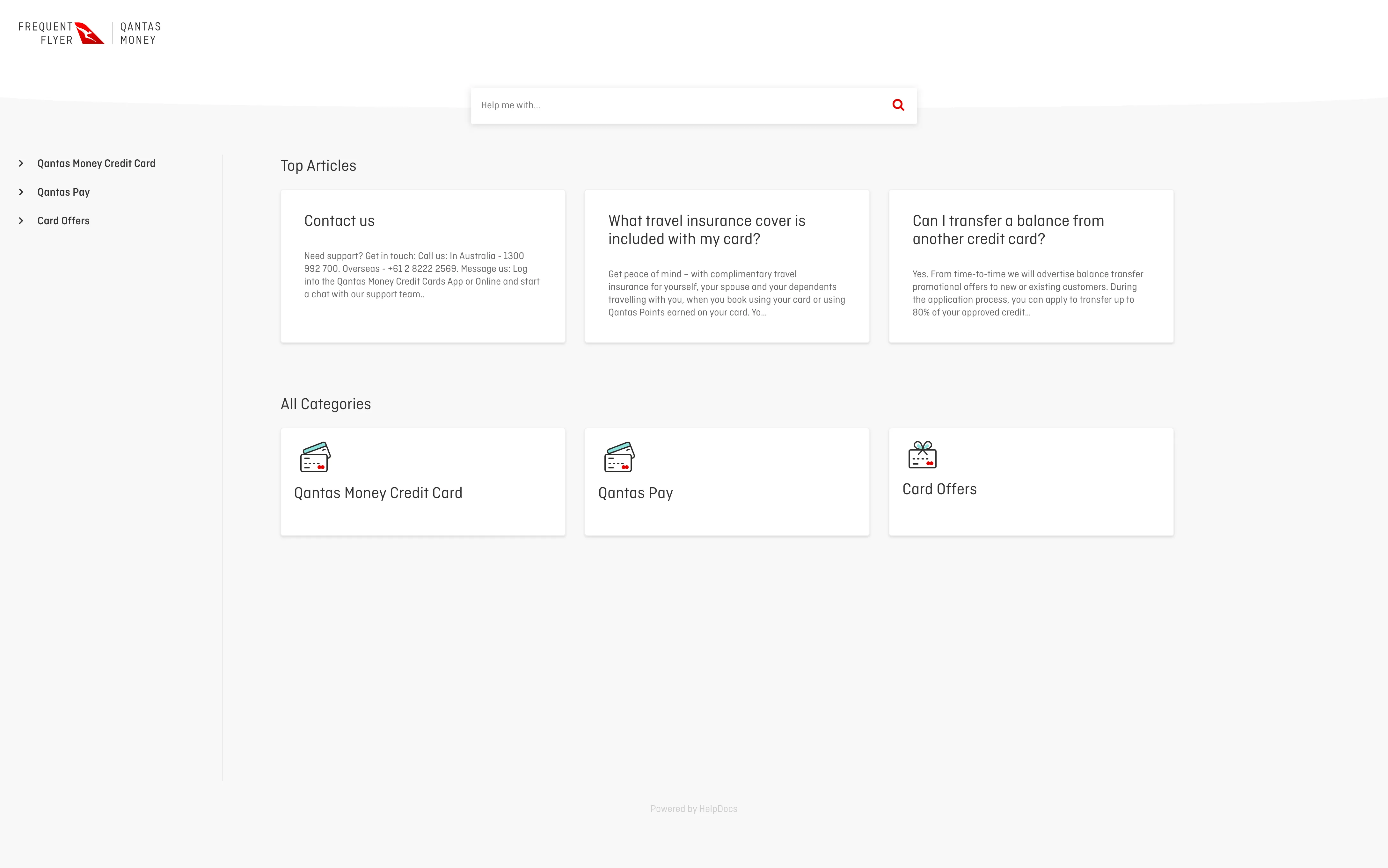
  • Qantas Money logo
  • Reckon logo
  • CloudCheckr logo
  • DOLLS KILL logo
  • Howler logo
  • Ketone-IQ logo

Customer

Gemma, a hostOn your help center
AI Answer

Add your property, customize the guidebook with local tips, preview it, then publish so guests can open it in the app.

How to Create Your First Guidebook

Using HelpDocs Ask AI

Lighthouse widget

Help Center
ArticlesContact

Getting Started /How to Create Your First Guidebook

If you're a host looking to create a profile on Hosterful you can create a beautiful Guidebook in a few steps:

  1. 1Add Your Property
  2. 2Customize Your Guidebook
  3. 3Preview Your Guidebook
  4. 4Publish Your Guidebook

Powered by HelpDocs

On your website or in your app. See Lighthouse

Your team

Slack#support

/hd search how to set up a guidebook

Using the Slack integration

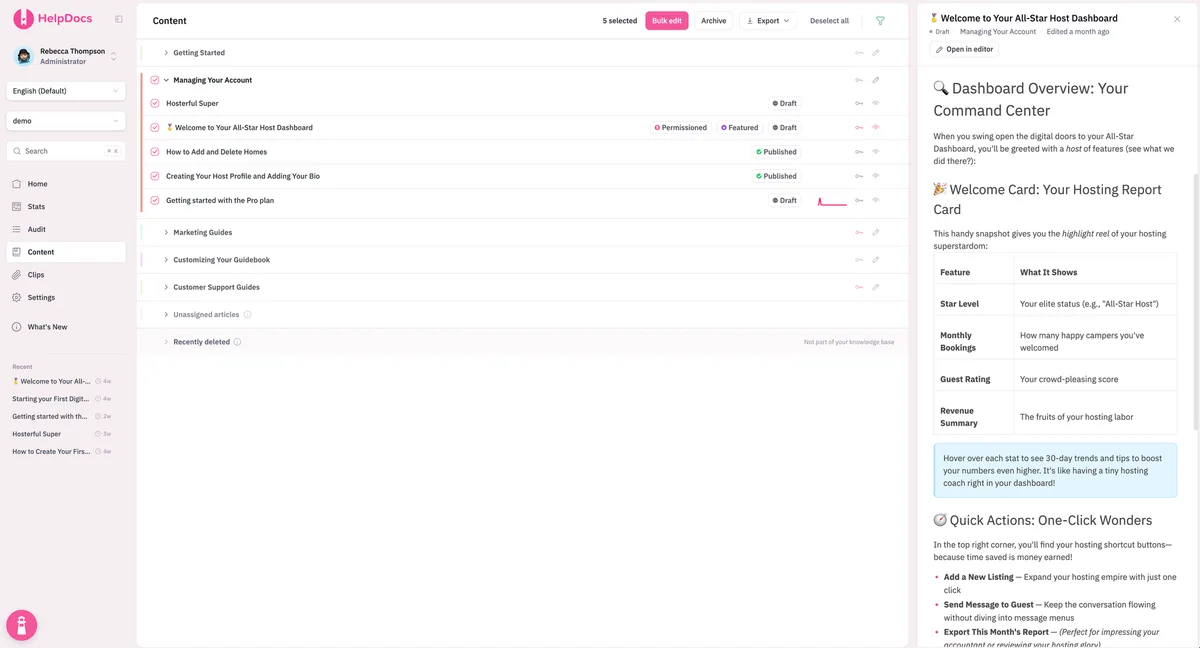
Your HelpDocs knowledge base
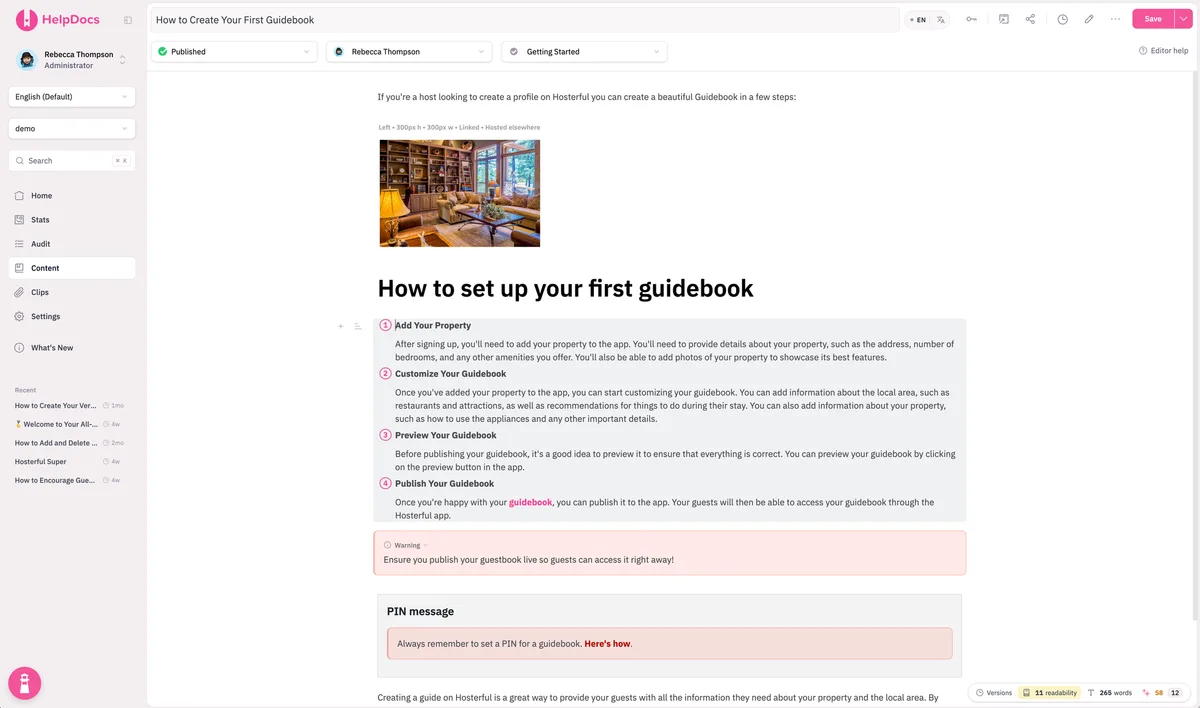
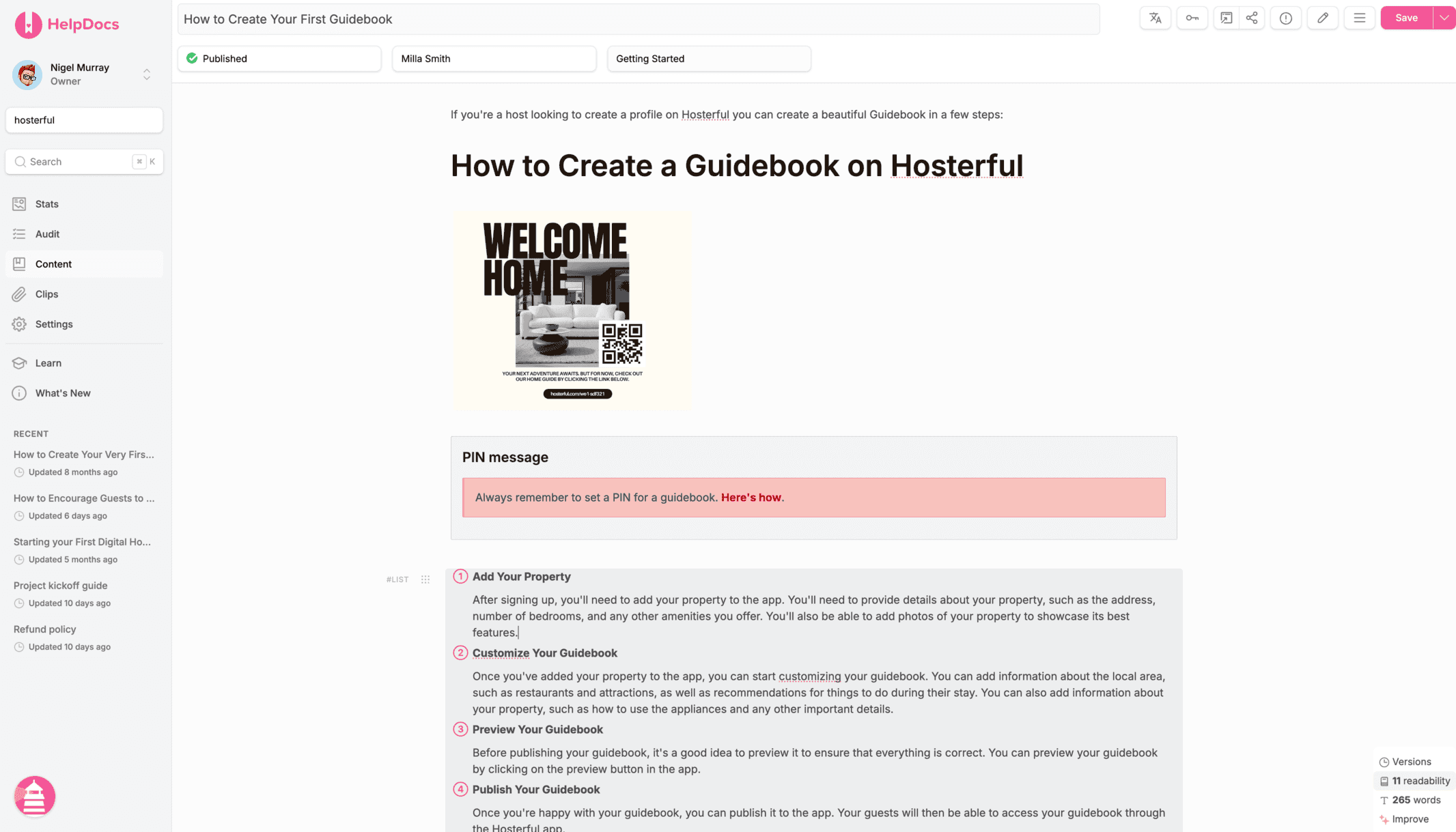
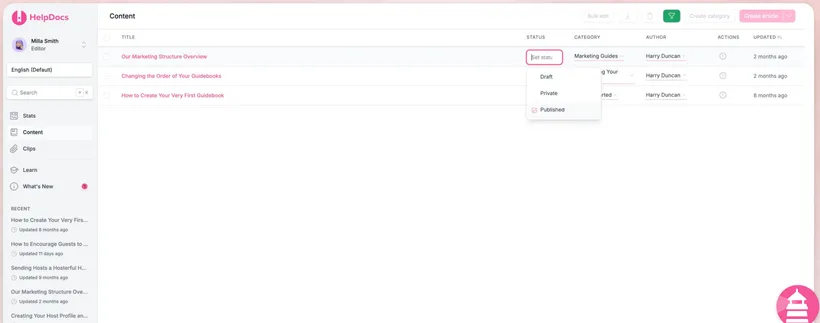
The guidebook article open in the HelpDocs editor
PublishedHow to Create Your First Guidebook

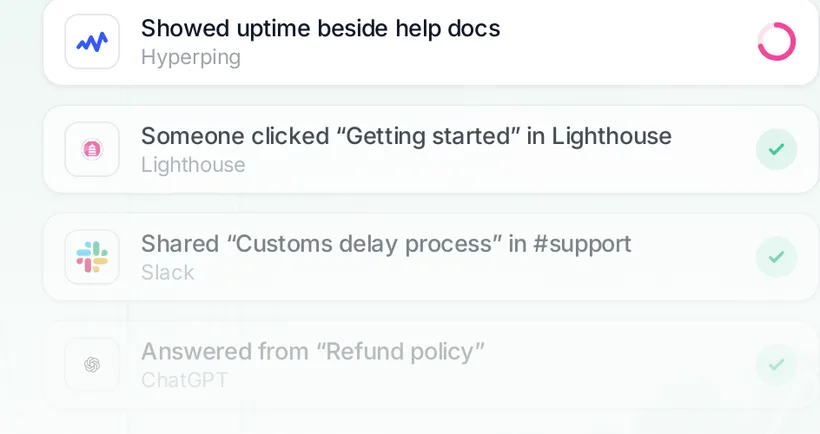
Connected across your entire stack

Your AI support agent

Add your property in the app, then customize your guidebook, preview it and publish.↳ How to Create Your First Guidebook

Your AI voice agent

"First, add your property in the app. Then you can customize your guidebook."

Your AI assistant

Update the article about setting up a first guidebook with the new feature we just pushed
✓ helpdocs · search("first guidebook")✓ helpdocs · update_article(working_copy)Done. I added the new feature as a step and saved it as a working copy for your team to review.↳ How to Create Your First Guidebook

Any AI assistant or agent

Read as clean MarkdownBeta
  1. GET /llms.txt
  2. GET /article/how-to-create-your-first-guidebook.md
  3. 200 OK · Content-Type: text/markdown

Create, manage and connect your docs in one knowledge base. Govern who sees what, and optimize every trusted answer across your infrastructure.

See how teams use HelpDocs.

Knowledge bases our customers run, across every kind of business.

See all Showcases

Your answers are scattered across your stack. Create one trusted answer destination.

The same question can come back with three different answers depending on where you ask, whether that's Slack, your support bot or your code editor. HelpDocs puts your team in one shared workspace to settle on the right answer, then delivers it wherever you need it.

Your support AI agents

Fin, Ada and Zendesk AI agents answer from the reviewed articles your team maintains, so when the bot hands off to a person, both of them say the same thing.

See support integrations

Your team's source of truth

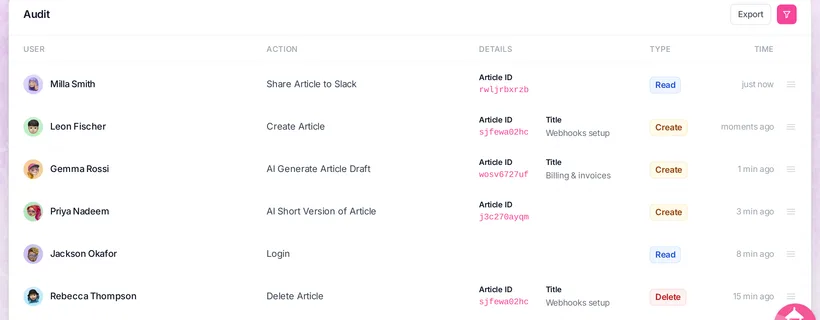
Draft your internal documentation a single time, get it reviewed before anything publishes, and set exactly who can read each one. If a policy shifts, you edit one article. That's the entire change.

See how permissions work

Your development tools, over MCP

Point Claude or ChatGPT at the HelpDocs MCP server. They'll search through your docs, read them and update them, so nobody has to paste answers into a prompt.

Set up the MCP server

Take your help content to new heights.

HelpDocs AI slots in beside your team rather than taking over for them. Give it your messy notes and it'll spin up a first draft, rebuild a section when you ask, fill in the metadata, and review it like your personal senior editor. Your writers can then focus on the details only they know.

Explore HelpDocs AI

Never ask “what’s missing?” again.

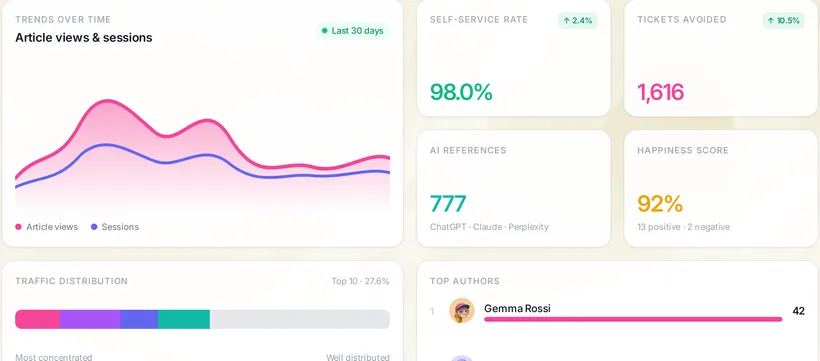
See what customers search for and can't find, which articles carry the support load, what's going stale, and how AI tools use your docs. Then fix what matters most, first.

Explore Optimize

Your docs have a new kind of reader.

AI agents and assistants now read your help center alongside your customers, and they answer from whatever they can parse. HelpDocs hands them the clean copy, so the answer they give is the one you wrote.

GETsupport.helpdocs.io/llms.txt
# support

> HelpDocs is a hosted Knowledge Base platform…

## Getting Started

- [Quickstart Guide](…/dtci6u65tu-quickstart-guide.md)
- [The HelpDocs Trial](…/1FWuw8yJiP-the-help-docs-trial.md)
- [Import from a CSV](…/5p5b55ggim-import-from-a-csv.md)
…
GET…/article/1FWuw8yJiP-the-help-docs-trial.md
---
title: "The HelpDocs Trial"
category: "Getting Started"
updated_at: "2026-08-01T11:53:37Z"
---

# The HelpDocs Trial

New to HelpDocs? You get a full 14 days to test drive
the platform and see if we're the right fit for your team.
…
  • llms.txt

    One switch publishes a map of your help center in the format AI tools look for: every article, its link and its summary.

  • Markdown for every article

    Beta

    Add .md to any article URL, or ask for text/markdown, and get the article with its title, category and last update up top. No menus, scripts or banners to wade through.

  • MCP server

    Claude, ChatGPT, Cursor and other MCP clients can search your docs, read articles and draft new ones for your team to review.

  • See which AIs read you

    AI References shows which assistants visit, which articles they lean on, and how many visits were real customer questions.

Enterprise software without the enterprise bloat.

No sales call, no lead times. Use it on day one without a hefty pipeline, heavy user manual, or hidden pricing.

“We very rarely touch this system as it does just work.”
KrystalAdam T., Krystal

Identity

Let identity handle access.

Sign people in with the tools they already use, and let who they are decide what they can see.

  • Single sign-on

    Connect your identity provider.

  • Embedded SSO with JWT

    Log your own users into private docs, with no second login.

  • Logged-in-only access

    Nothing is public until you say so.

  • Default roles and email domains

    New teammates land with the right permissions, from approved domains only.

Explore access control

Scale

Built to scale.

Launch days and front-page moments are on us. We handle the traffic and the surges, and you get the tools to run a knowledge base of any size.

Check live status
Early access

Lighthouse 2

More than a help widget. Lighthouse 2 puts your help articles, answers, contact form and any links you choose, like your status page, behind one launcher in your product, so people find what they need without leaving it.

Lighthouse is included on Sprout, Bloom and Harvest.

Moderate

Contact appears once a reader has searched.

Five ways to put it in your product

Loading the live demo…

mode: "widget" A launcher in the corner that opens help over your app.

  • Deflection that waits its turn

    We don't show the contact form until your readers have tried searching or reading enough. Choose a soft, moderate or aggressive setting.

  • Ask AI, with sources

    Readers get answers pulled from your docs, and each one carries numbered citations so they can trace any line back to the article it came from.

  • Less than half the size

    The widget now weighs about 79 KB gzipped, down from the previous ~180 KB. If you only need the standalone search bar, that one's 19 KB.

  • Speaks your readers' language

    The widget checks the reader's browser to match their language, and you can translate every label inside it.

  • Your help links, upgraded

    Drop a help center link anywhere on your own pages and Lighthouse opens right there, so readers stay inside your app the whole time.

  • Hands off to your chat

    If the page already runs Intercom, Front Chat, Gorgias or GoSquared, Contact hands off to that chat tool rather than showing its own form.

  • Your links on the start screen

    Put any link on the home screen, like your status page, changelog or booking page, so one launcher covers more than help.

  • Upgrades your existing setup

    If you're already using Lighthouse, your existing embed settings transfer as-is, so the switch is a minor tweak.

And so much more.

  • Unlimited articles
  • Unlimited public viewers
  • Custom domain
  • SSL certificate
  • Multilingual
  • Machine translations
  • Clips
  • Variables
  • Custom HTML templates
  • Version history
  • PDF export
  • Easy migration
  • Ask AI
  • Draft article
  • Article rewrites
  • Improve with AI
  • Style enforcement
  • Meta generation
  • Alt description generation
  • Search tag generation
  • MCP server
  • llms.txt support
  • Insights
  • Smart 404s
  • Audit trail
  • Advanced permissioning
  • Single sign on
  • Embedded SSO (JWT)
  • IP restriction
  • Custom HTTP headers
  • Subfolder hosting
  • Lighthouse
  • Native integrations
  • API access
  • Contact form submissions
  • Customer only resources

With you every step of the way.

From your first article to a knowledge base that gives you detailed reports, HelpDocs supports every stage of your documentation journey.

Start building your documentation infrastructure.

Create, organize, translate, and connect your docs without the admin sprawl of a support suite.

Start free 14-day trial

No credit card required.

Migrate from